
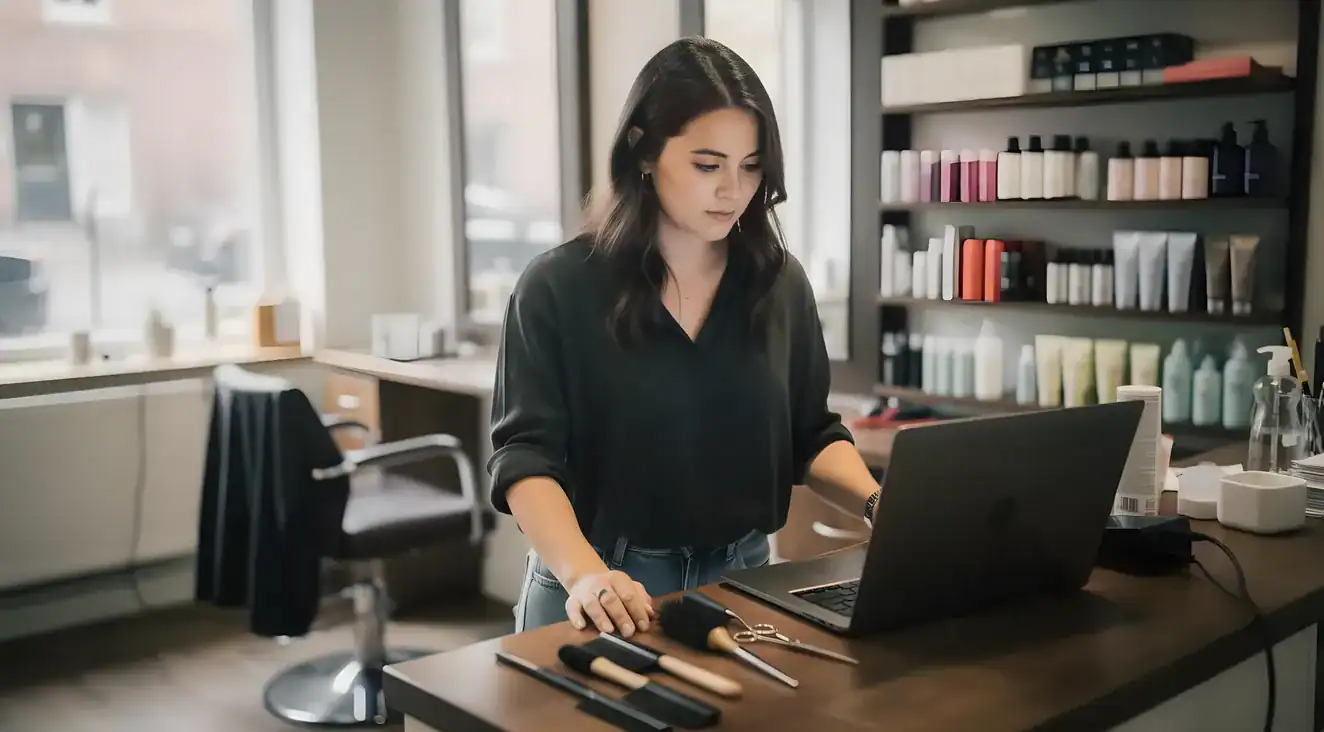
A suite renter has no receptionist, no front desk, and no one to answer a call while they are mid-service. That is the reality. Salon booking software fills the gap: it takes appointments around the clock, sends automated reminders, collects payment, and stores client records. Booking industry research consistently shows 85% of callers who reach voicemail never call back. They book with whoever answers. And more than 40% of salon appointments are booked outside normal business hours, meaning clients are trying to reach you on Sunday night and after 7pm on weekdays when you are unavailable. Without a self-booking tool, those clients go elsewhere. The cost is real. Industry benchmark studies across tens of thousands of salons show the average solo operator loses several thousand dollars annually to no-shows, a figure that climbs when no other staff member working the chair offsets the missed slot. Salon scheduling software runs roughly $20-80 per month for a solo plan. The math is not complicated.
A traditional salon front desk handles five things: it answers the phone to schedule appointments, confirms appointments the day before, collects payment at checkout, explains the cancellation policy to new clients, and maintains a client contact list. An independent beauty professional in a salon suite has to handle every one of those tasks without a single staff member to help.
By the Numbers
85% of callers who reach voicemail book elsewhere. They do not call back.
More than 40% of salon appointments are booked outside normal business hours. A self-booking link works the Sunday night shift so you do not have to.
Salon booking software covers every one of those tasks: online self-booking, automated appointment reminders, integrated payment processing, cancellation policy acknowledgment, and a searchable client record. For a suite renter, the client scheduling app is the receptionist.
| Receptionist Task | Software Equivalent |
|---|---|
| Answering booking calls | 24/7 online self-booking portal |
| Confirming appointments | Automated SMS and email reminders |
| Collecting payment | Integrated card processing at checkout or at booking |
| Explaining cancellation policy | Policy displayed at booking, required acknowledgment |
| Maintaining client records | Auto-built client profiles with service history |
| Managing schedule changes | Client self-reschedule via booking link |
Suite rental is different from renting a booth inside a traditional salon. At a traditional salon, some of this infrastructure may be shared. At a suite rental facility, the suite is yours and so is everything it takes to run a business inside it. Suite renters should evaluate every feature claim against one question: does this feature replace a task they would otherwise handle alone?
Salon booking software replaces the front desk for a suite renter: it handles the online booking portal, fires automated reminders at 48 and 24 hours out, stores the card on file, and applies a no-show fee when a client ghosts, all without the stylist touching a phone. Many booking platforms are built around multi-staff salons. They lead with team scheduling, commission tracking, payroll, and inventory management. A suite renter does not need any of that. Five features move the needle for a solo operator.
Pro Insight
Clients who pay a deposit or provide a card on file show up more reliably and spend more per visit.
The resistance to deposits is usually a story the pro tells themselves, not pushback expressed by the client. Clients who are committed enough to book are generally committed enough to hold a card.
Feature 1: 24/7 online self-booking. A booking link the client can use any time is the foundation. That link should be shareable to an Instagram bio, a Google Business Profile, and a personal website. Clients who find you on social media at 10pm want to book in that moment. If the only path is “call me,” the moment passes.
Feature 2: Automated multi-step reminders. Appointment scheduling software should send reminders at 48 hours and again at 24 hours before the appointment. Activate both SMS and email. Multiple appointment scheduling studies put the no-show reduction from automated reminders at 30 to 70 percent. Most no-shows result from appointment-time forgetting, not deliberate cancellation, which means a well-timed SMS reminder resolves the majority of missed slots before they happen. The reminder also reinforces the cancellation policy so clients understand a fee applies if they fail to give notice.
Feature 3: Card on file or deposit at booking. A client who provides a card at booking is financially committed to the appointment. This is the mechanism that changes behavior, not the threat of a fee alone. A client who pays nothing at booking has nothing to lose by ghosting.
Feature 4: Integrated payment processing with checkout and tip prompt. Payment processing should live inside the booking software, not in a separate app. Running between platforms at checkout creates friction and can suppress tips. The software should also store all transactions against the client record, which simplifies tax reporting at year end. Before entering any card credentials, verify the platform is PCI compliant, meaning it meets the Payment Card Industry Data Security Standard for handling card numbers.
Feature 5: Client profiles with service history and notes. Returning clients expect you to remember their formula, their preferences, and what you did at the last visit. That information should live in the appointment scheduling software as a searchable record, not in a notebook or your memory. For color services especially, formula notes are a professional and a liability asset. The client profile should also store intake form responses for verticals where client health information matters.
A suite renter should also check whether the platform includes a waitlist feature. When a cancellation comes in, automatic waitlist notification fills the slot without the pro making a single phone call.
The infrastructure question is most relevant when you are evaluating whether to open your own suite. The suite provides the private workspace; the booking software provides the client-facing operation. For a look at the private salon suites in Lewisville available at Venus, the suite options are a useful starting point.
For a solo beauty professional, no-show revenue loss is unshared and unrecoverable. Industry benchmark data across large samples of salon businesses consistently shows the average solo operator loses several thousand dollars annually to no-shows. A traditional salon can absorb a no-show because another stylist is still producing revenue. The solo operator in a salon suite cannot.
The deposit mechanism is the most underused income protection tool in the independent beauty business. A client who pays $30 toward a $150 service shows up more reliably than a client who paid nothing at booking. The psychology is financial commitment, not punishment. Industry data is consistent on this: clients who pay a deposit or provide a card on file have higher show rates and higher average spend per visit. The resistance to deposits is a story most solo pros tell themselves. In practice, clients who are already committed enough to book an appointment do not push back on a deposit at the rate most pros expect.
Understanding the distinction between card on file and deposit matters. A card on file preserves flexibility: the client is not charged unless they violate the cancellation policy. For an established book where most clients are regulars, card on file is usually the right setup. Deposits work better for high-ticket services or time-intensive appointments where a no-show represents a significant income loss. A color correction or bridal package that takes four hours warrants a deposit at booking.
The cancellation window standard in the beauty industry is 24 hours for most services. For appointments running two hours or more, including color corrections, extensions, and bridal packages, 48 hours is the widely accepted standard. That window gives the pro time to fill the slot from a waitlist or cancellation queue rather than losing the income entirely.
For the no-show fee structure: 50% of the service cost is the industry benchmark for a late cancellation within the window. A full no-show with zero notice typically warrants 100% of the service cost. The cancellation policy must be displayed to the client at booking and requires a checkbox acknowledgment before the appointment is confirmed. Booking software that lets the pro skip this step creates exposure. The client who says “I never agreed to that” has a case if the platform did not surface the policy before booking.
There are two types of booking tools, and they are not the same product. Independent beauty professionals who sign up for a marketplace platform expecting direct booking control often find the platform co-owns the client relationship, a constraint that matters most when moving locations or switching software.
Which Type Fits You?
Book under 70% full
A marketplace's discoverability can help fill your first months and build an initial client base.
Book at 70%+ capacity
Direct booking control and client data ownership matter more than new-client discovery at this stage.
A marketplace platform presents multiple providers to consumers. Clients browse and find new stylists through the platform. That discoverability has real value, but it comes with tradeoffs: the platform co-owns the client relationship, some platforms charge a commission on new-client bookings, and when the pro leaves the platform, they may not take the full client list with them. The platform is the front door, which means the platform holds some control over the client relationship.
Direct booking software is a client scheduling app the pro configures, owns, and controls. The booking link points directly to the pro’s calendar. There is no commission on bookings, no competing provider listed next to you, and the client data belongs to the pro. The booking link can be shared anywhere: Instagram, Google Business Profile, a website, a QR code on a business card. Direct booking software generates a shareable link that connects to the pro’s Google Business Profile, Instagram bio, and personal website from a single URL.
A beauty professional whose appointment book is under 50% full benefits most from marketplace discoverability; one whose book exceeds 70% capacity benefits most from direct booking control and client data ownership.
A pro who just opened a suite and has an empty book can benefit from marketplace discoverability to build an initial client base. A pro whose book is 70% or more full is typically paying commissions on clients they already own, and the calculus shifts toward direct control. Some platforms operate as both a marketplace and a direct booking tool with different fee structures for each mode, which gives the pro the ability to shift over time.
One question to ask before signing up for any online booking platform: can you export your full client list as a CSV file, including name, email, phone, and appointment history? If the answer is no or unclear, treat that as a risk. Your client list is a business asset. Platforms that do not allow a clean export are retaining control over a business asset that belongs to you.
Salon booking software is not one-size-fits-all across beauty verticals. A few functional differences affect which features matter most for each trade.
Hairstylists and barbers deal with variable service durations. A trim and a color correction can differ by 90 minutes or more. The appointment scheduling software must display real-time availability that reflects actual service time, not a generic 60-minute slot. Buffer blocking between color services and finishing appointments keeps the schedule from compressing in a way that rushes clients. Look for software that lets you set duration per service, not just per appointment.
Nail technicians typically work with more predictable slot lengths: 60 minutes for a fill, 90 minutes for a full set. The service menu needs clear duration and pricing visible at booking. If the menu includes gel, dip, or acrylic services, confirm the platform allows service-specific booking rules so clients cannot accidentally book a 30-minute slot for a 90-minute service.
Estheticians and lash artists need intake forms. New clients must disclose allergies, skin conditions, and treatment history before the appointment, and that information needs to be stored against the client profile. Prioritize a platform that supports digital intake forms sent before the first visit for these verticals. The intake form protects both the client and the professional.
Massage therapists need buffer blocks between appointments, typically 15 minutes for room reset and sanitization. Services start and end on a fixed schedule because rooms turn over. Intake forms for health history and contraindications are required. Look for a platform where buffer time is built into the service duration setting, not manually blocked each time.
Makeup artists often take fewer, longer appointments with more planning involved. For event and bridal work especially, a deposit requirement is practical: the makeup artist may be setting aside a full day or holding a morning slot that cannot be easily backfilled if the client cancels. The deposit mechanism should be enabled for any high-ticket or high-planning-cost appointment type.
When evaluating salon scheduling software as a solo operator, the three features with the most direct income impact are automated reminders, card-on-file no-show protection, and integrated payment processing, not the team-management tools the enterprise platforms lead with. This matters most when evaluating free-tier options.
Before You Commit
A platform without automated reminders, card-on-file enforcement, and cancellation policy display is not a complete booking tool for a solo operator.
These three features have the most direct impact on income protection. If they sit behind a paywall, the effective cost of the platform rises the moment the first no-show hits.
There are three pricing models in salon scheduling software. Subscription-based platforms charge a flat monthly fee and give the pro full control over features, with client data fully portable. Freemium platforms offer core features at no cost and gate the most income-relevant features, including automated reminders, payment processing, and cancellation enforcement, behind paid tiers. Commission or marketplace platforms charge no or low monthly fees but earn via a percentage on payment processing or a fee on new-client bookings sourced through their platform.
A freemium platform that lacks automated reminders, card-on-file enforcement, and cancellation policy display is not a functional booking tool for a solo operator. Those three features have the most direct impact on income protection. If they sit behind a paywall, the effective cost of the platform rises the moment the pro encounters the first no-show.
The full cost to evaluate:
As a general market range, solo-operator subscription plans run roughly $20-80 per month, with payment processing adding 2.5-3% per transaction on top (consistent with standard US card processing rates published by major processors). A platform at $40 per month with full feature access often costs less annually than a platform with no monthly fee but a higher processing rate plus marketplace commissions on new-client bookings. Run the math on your actual booking volume before treating any “free” option as a working solution.
The evaluation question is not which platform is “best.” It is which platform fits a solo beauty professional running a private suite. These ten questions cut through the vendor framing and get to what matters.
Data Portability Warning
Before signing up for any booking platform, confirm you can export your complete client list.
Ask for a full CSV export: name, email, phone, and appointment history. Your client list is a business asset. Platforms that do not allow a clean export are retaining control over a business asset that belongs to you. If the answer is unclear before you sign up, treat that as a red flag.
Solo-operator booking platforms complete initial setup, covering services, pricing, availability, and the booking link, in 30 to 60 minutes for most users. The most common delay is not technical: it is deciding on service pricing, service durations, and cancellation policy terms before entering them. Having those decisions made before sitting down with the software cuts setup time significantly.
The right platform handles the business-owner side of suite rental: online bookings, automated reminders, payment processing, and client records. The physical workspace is a separate piece of the equation. Venus Salon Suites on Highway 121 provides private suites for independent beauty professionals in Lewisville.
Yes. Suite renters have no shared front desk, no receptionist, and no one to confirm appointments, collect payment, or answer calls while the pro is working. Without appointment scheduling software, every missed call is a potential lost booking. Zenoti booking data shows 85% of callers who reach voicemail book elsewhere rather than wait. Booking software fills that gap at a fraction of what even part-time administrative help would cost. It is business infrastructure, not an optional upgrade.
Most independent beauty professionals use platforms built specifically for the beauty industry rather than general-purpose appointment tools. Beauty-specific salon scheduling software handles stylist-level booking, variable service durations, and color-processing overlap by default. Generic scheduling tools require workarounds that add friction for clients and extra management for the pro. The most-used platforms in the US market share a similar core feature set. The distinctions come down to pricing model, mobile app quality, and how each platform handles no-show protection and client data portability.
For most solo operators in a suite, the practical benchmark is three things: setup that takes under an hour, a booking link the pro can share the same day, and a mobile app that handles day-to-day schedule management without needing a laptop. Platforms designed for solo operators typically perform better on these benchmarks than scaled-down enterprise tools. The setup delay for most pros is not the software itself. It is arriving at the software without decisions already made about service pricing, service duration, and cancellation policy terms.
Most reputable booking platforms allow a full client list export as a CSV file, including name, email, and phone. Service history and formula notes may not transfer cleanly because field structures vary by platform. Before switching, export the full client CSV, download appointment history as a report, and document any formula or service notes that are not in a portable format. Switching platforms is a short-term disruption. Staying on a platform that does not serve the business to avoid that disruption is the more expensive choice over time.
For solo-operator subscription plans, published pricing typically falls between $20 and $80 per month, with card processing adding roughly 2.5-3% per transaction. Commission-based platforms may advertise lower or no monthly fees but earn through transaction fees or new-client booking commissions. Total cost of ownership is the right metric: monthly fee plus processing rate plus any add-ons such as SMS credits or marketing features. A platform at $40 per month with full feature access often costs less over a year than a “free” platform that charges higher processing rates or takes a percentage of marketplace bookings.
No. Modern solo-operator platforms are built for non-technical users. The typical setup covers services, pricing, availability, and a shareable booking link. Having service pricing, duration, and cancellation policy terms already decided before opening the software is the single factor that most shortens the setup process. The software itself is not the obstacle.
Looking for a salon suite in Lewisville? Call (214) 469-1615 or visit our contact page.